Tracking Potable Water Collection Rates

Client

The WASH Foundation

Timeline

4 months

Skills

Content Design

Interaction Design

Localization

Product Thinking

Prototyping

Role

Product Designer

Tools

Figma

Team

1 Designer

5 Developers

1 Product Manager

1 Tech Lead

Brief

Design a mobile app for users to record data on water collection rates.

English Prototype

Spanish Prototype

Context

Outside the metropolis of Lima, Peru, ~700,000 households are off the primary water grid, without consistent access to clean water.

A new technology allows fog nets to collect fog water and convert it to potable water.

In order to garner more funding for these fog nets, the WASH Foundation needs more data on their conversion rates. 

I created a 0-1 mobile solution for locals on the ground to record and verify data from these fog nets daily.

Key Insights

Research through 5+ expert interviews taught us:

1

The data collection sites are physically out of the users' way.

2

Data accuracy is self-managed.

3

There are clusters of dififerent fog nets which collect water at varying rates.

4

Users like to see their contributions make an impact.

Constraints

Users need to be motivated to walk a distance to the fog nets.

Data needs to ensure accuracy.

Data needs to be specific per fog net.

Data needs to be recorded daily.

Solution

We initially thought users wanted to know more about how effective the fog nets were at scale so we designed data visualizations of water collection across fog net clusters, but our research showed users were most interested in ease of use.

So, these designs are as straightforward as possible to reduce time for use.

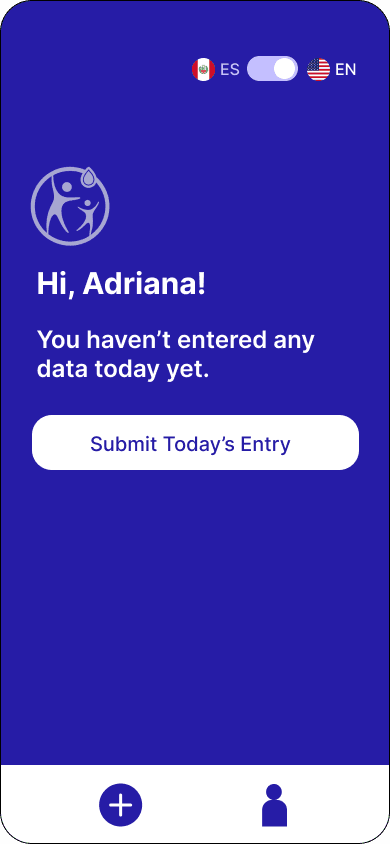
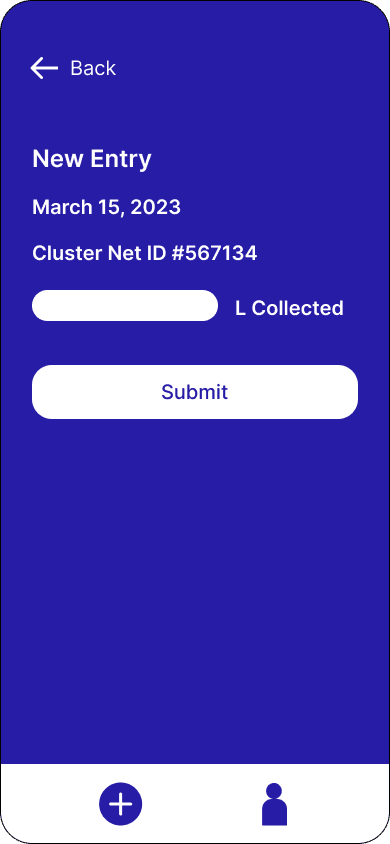
Task 1: How might we urge the user to add a new entry?

Welcome page

Submission page

Limit the CTA to one.

Make the entry point very clear.

Use "today" and "yet" to encourage daily submission.

Invite user with "Hi, [user's name]" in a friendly tone.

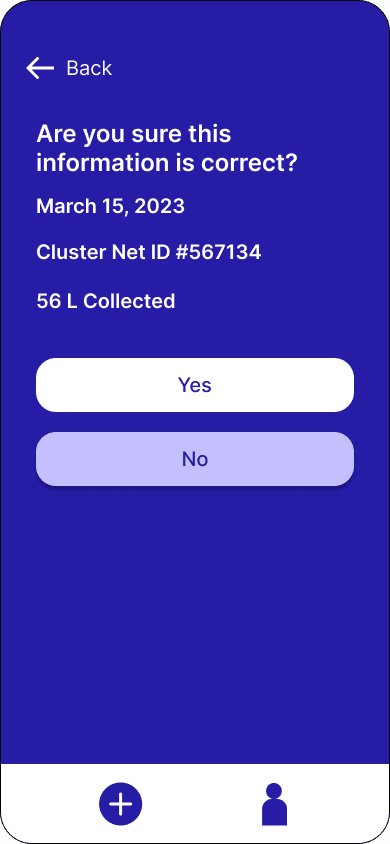
Task 2: How might we ensure data is accurate?

Confirmation page

Require users to double-check their numbers with an additional confirmation page.

Maintain a clear UI distinction between confirming "yes" or "no."

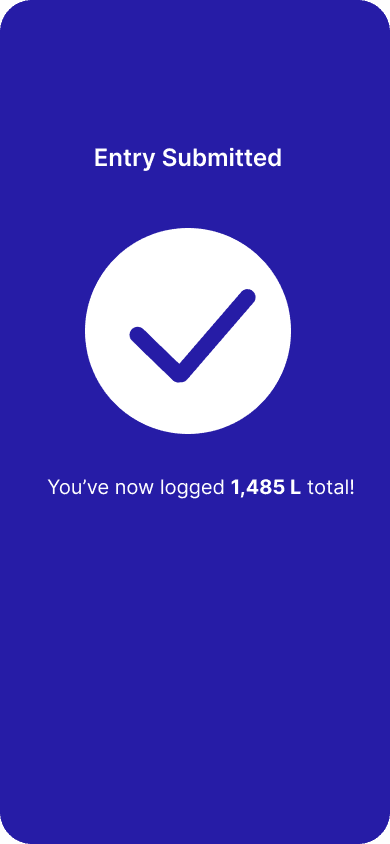
Task 3: How might we motivate the user to record data daily?

Submission feedback

Offer feedback, which leaves a greater impression.

Give a user-specific lifetime metric for a clear sense of individual impact and reward.

Localization

While I designed an English prototype for our clients in the WASH Foundation, I also designed a Spanish prototype for the users who primarily spoke Spanish.

Below are some design choices that I adapted for the Peruvian user base.

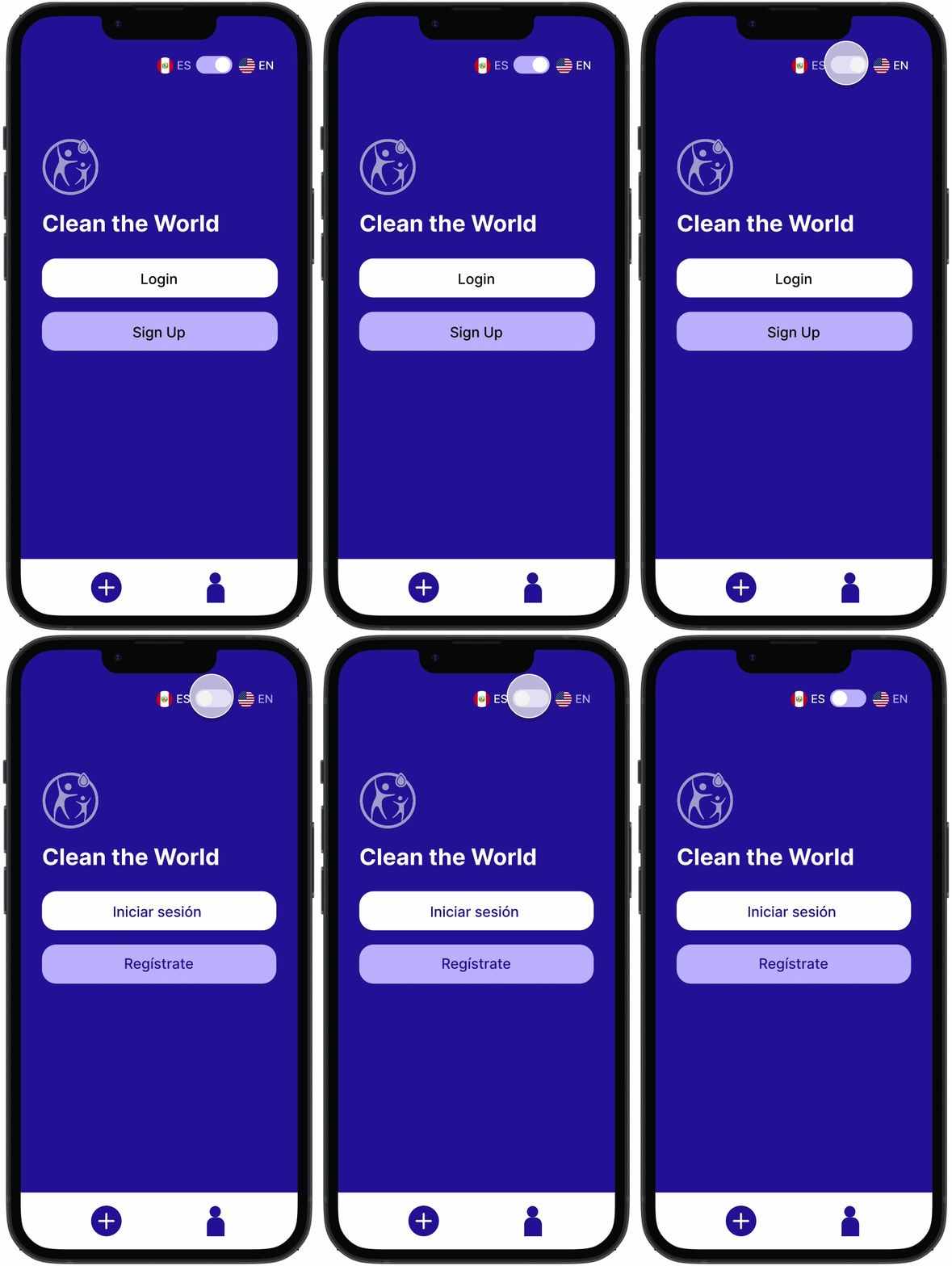
Toggling between Spanish & English

Language Toggle

Users can choose a Spanish or English setting on the login and homepages.

There are small flag icons which serve as visual indicators next to the standard abbreviations, with the Peruvian flag next to "ES" and the American flag next to "EN."

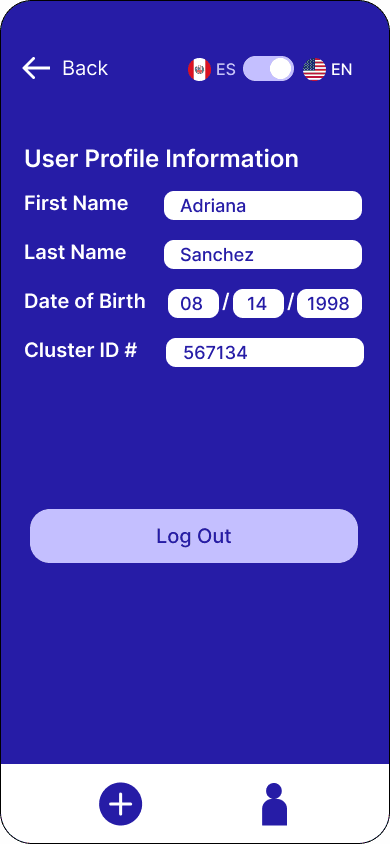
User profile details in English

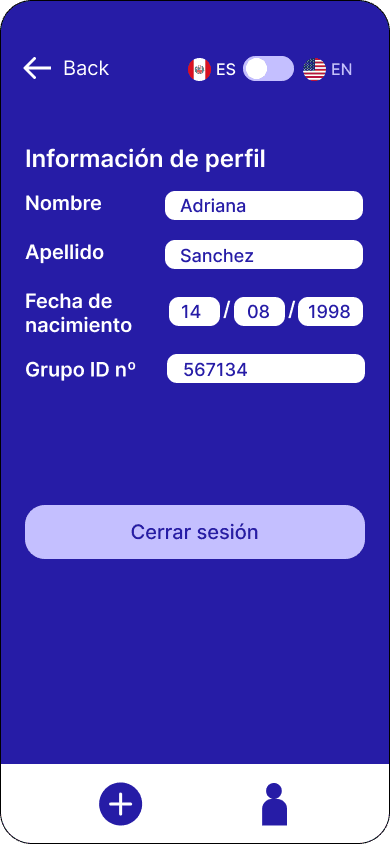
User profile details in Spanish

Title Case

In Spanish, typically only the first word in titles is capitalized. The following words in titles, subtitles, and buttons are all commonly lower case.

Date Information Fields

The order of the information fields changes based on different date notations.

English Date Notation is mm/dd/yyyy

Spanish Date Notation is dd/mm/yyyy

"Number" denoted by "#"

"Number" denoted by "nº"

"Number" Notation

Principles

Less is more. Simple and straightforward makes it easy to create a daily habit.

Keep feedback loops positive.

Adaptability for localization is key.

Thank you for reading.

If you'd like to hear more about this project, please email me michelle.yw.wei@gmail.com.